Download Creatyk Optimizer
The Windows optimizer for gaming, free to start. A small installer fetches the latest version and gets it ready on your PC.
- Free with Spark, no key
- Everything it changes can be undone
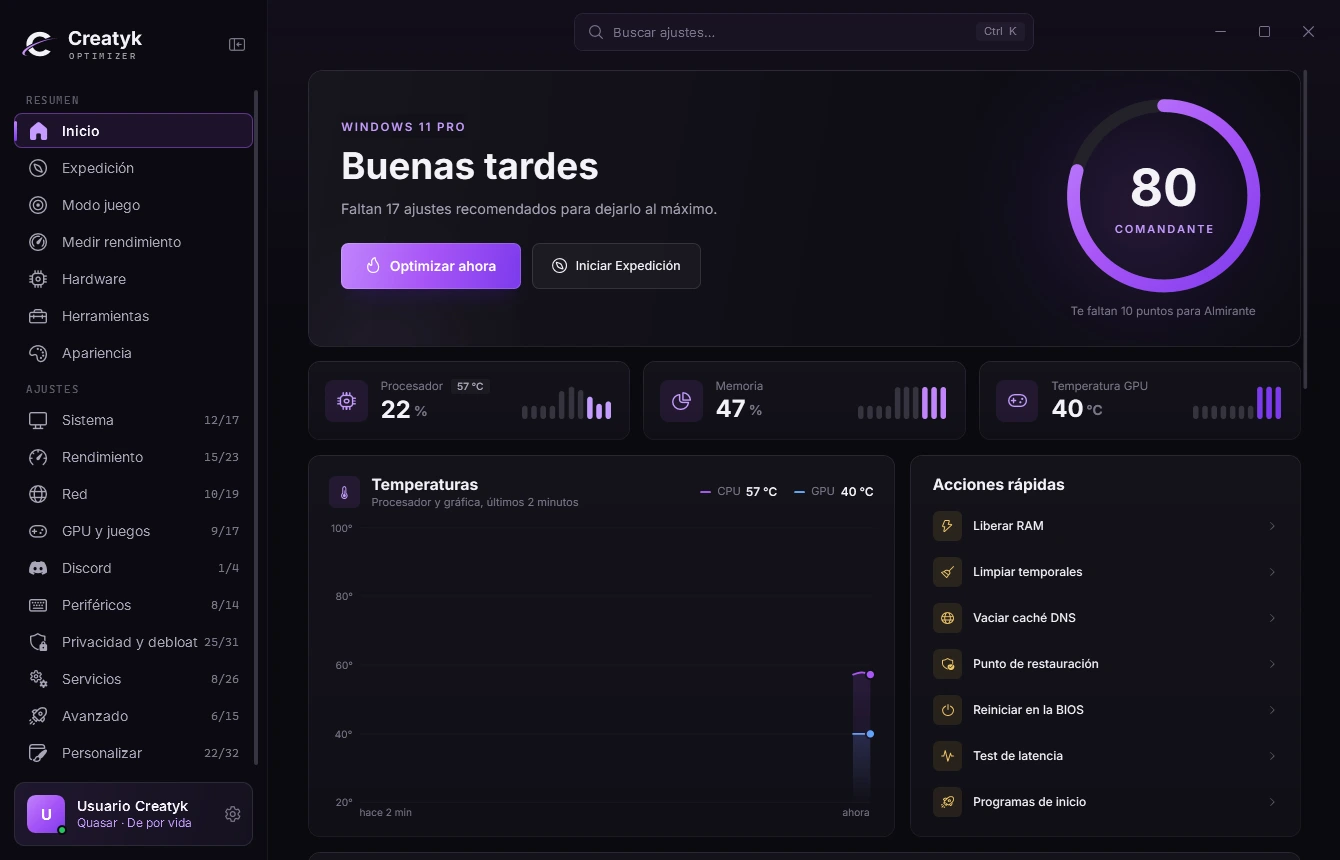
What you need
Not much, and the installer adds whatever is missing.
-
Windows 10 or 11, 64 bit
The app is 64 bit, so Windows 7 and 8 are left out.
-
An internet connection
The installer downloads the latest version while it installs.
-
Microsoft .NET 10
If you don't have it, the installer downloads it, checks Microsoft's signature and installs it.
-
Administrator rights
The app asks for them when it opens, because it changes Windows settings.
How it installs
This is what you'll see, in this order.
After that, the app updates itself: it looks for a new version when it opens and, when it's next to the clock, installs it at a quiet moment, never in the middle of a game.
-
Open CreatykOptimizerSetup.exe from your downloads.
-
If Windows shows "Windows protected your PC", click "More info" → "Run anyway". See what it looks like
-
Windows asks whether to let it make changes to your PC, as it does with any installer: click "Yes".
-
The installer speaks your language. Accept the license, pick the folder and, if you like, a desktop shortcut.
-
If your PC is missing the Microsoft .NET Desktop Runtime, it downloads it, checks that Microsoft signed it and installs it. That only happens the first time and takes about a minute.
-
It downloads the latest version of Creatyk Optimizer and checks its SHA256 fingerprint before installing it. When it's done, leave "Launch Creatyk Optimizer" ticked.
If Windows warns you
If Windows shows "Windows protected your PC", click "More info" → "Run anyway".
It shows up because Creatyk Optimizer is new and isn't signed with a paid certificate, so Windows doesn't know it yet. Always download it from creatyk.com: the installer checks the app's fingerprint before installing anything, and everything the app changes can be undone.
Try it here before you see it: the buttons work.
Windows protected your PC
Microsoft Defender SmartScreen prevented an unrecognized app from starting. Running this app might put your PC at risk.
- App:
- CreatykOptimizerSetup.exe
- Publisher:
- Unknown publisher
Now click "Run anyway".
After installing
Open the app from the Start menu, the desktop, or with Win+R and the word creatyk. Four good first steps:
-
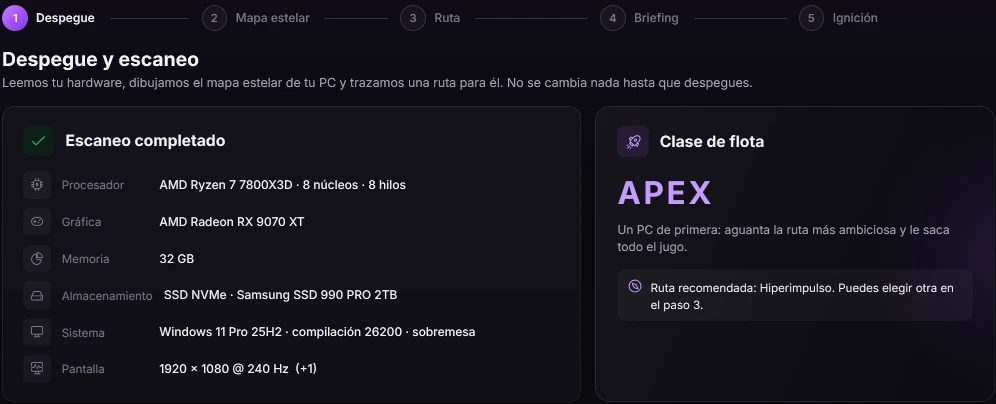
Start with the Expedition
It reads your hardware and proposes a tweak route made for your PC. Nothing changes until you launch.
-
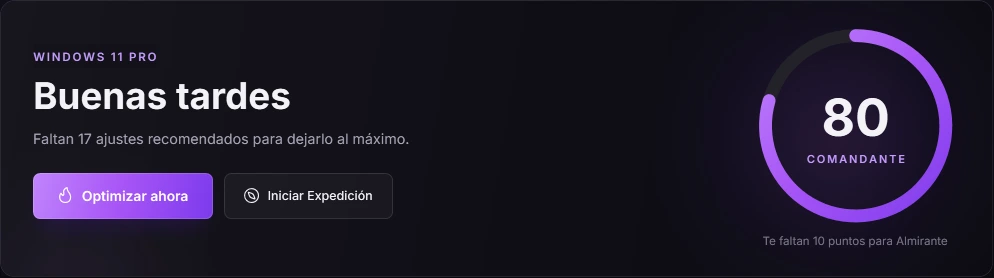
Or click "Optimize now"
It lines up the recommended tweaks you're missing, and you decide whether to apply them.
-
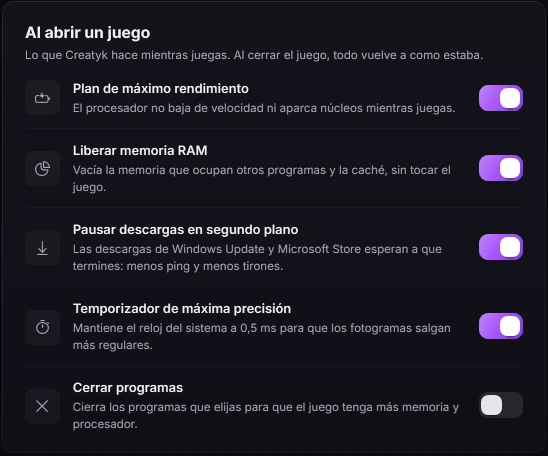
Turn on game mode
With Nova or Quasar, it puts your PC at full power when a game opens and leaves it as it was when it closes.
-
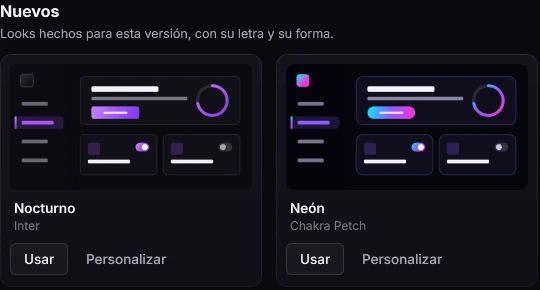
Make it yours
Themes, accent color and the presets the Community shares, free for everyone.
Free to start. Everything it changes can be undone.
-
Spark is free
Cleanup, startup, apps, repair, temperatures and Appearance, with no key and no card.
-
It saves how things were
Before each tweak it takes a snapshot, and if something fails halfway it undoes the whole tweak.
-
Undo one or all
From Tools → Backups you undo a single change or all of them at once, on any plan.
What's new in 2.8
It's called Creatyk now
We could not check for a newer version
This is the latest we know, and the installer always downloads the newest one.
- A new logo: the C with its orbit.
- Downloads and the Community move to our own domain, creatyk.com.
- Defender and SmartScreen are changed in Windows Security: the card in Advanced → Security takes you straight there and warns you if no antivirus is protecting your PC in real time.
- Clean NVIDIA driver install: you enter Safe Mode yourself by following the card's steps; Creatyk no longer changes how Windows starts.
- Background updates no longer land in the middle of a game: they wait until you've finished playing and whatever you have running is done.
- Search (Ctrl+K) now also finds Fans, Processes, Backups and Resources.
- Safer updates and installs, with fewer reasons for your antivirus to get suspicious.
Common questions
Question not here? Write to us at soporte@creatyk.com.
Is it free?
Yes. Creatyk Spark is free and needs no key. Nova and Quasar are paid and are activated with a key from the app: compare the plans.
Why is the installer so small?
Because the app isn't inside it: while installing, it downloads the latest version. That way you never install an old one.
What if I already have it?
Open the installer anyway: it lets you repair (installs the latest version on top), reinstall (removes everything and installs from scratch) or uninstall.
How do I uninstall it?
From Installed apps, in Windows Settings. Uninstalling doesn't undo the changes you applied: to leave Windows as it was, undo them first in Tools → Backups.
How does it update?
By itself. When it opens it looks for a new version, downloads it, checks its fingerprint and restarts. When it's next to the clock, it updates at a quiet moment, never during a game.
Does it work on Windows 7, 8 or 32 bit?
No. It needs Windows 10 or 11, 64 bit.
What if something goes wrong?
Write to us at soporte@creatyk.com. In the app, Settings → "Support report" makes a .zip with what we need to help you, without your key.
Start for free with Orbit
Download it, open it and let the Expedition choose for you. Everything it changes can be undone.
For Windows 10 and 11 (64 bits). Free to start.